Print help
Print help & FAQ
Tested settings, file formats, licences and download links, all in one place.
Print settings (sample)
Tested settings for every model
We print each model before it is listed and note what worked. Use the table as a starting point for your own printer and filament.
| Model | Layer height | Infill | Walls | Supports | Print time |
|---|---|---|---|---|---|
| Hex Pen Cup | 0.20 mm | 15 % | 3 | None | 3 h 10 min |
| Modular Desk Tidy | 0.24 mm | 10 % | 2 | None | 6 h 20 min |
| Fold-Flat Phone Stand | 0.20 mm | 25 % | 4 | None | 2 h 40 min |
| Arc Headphone Stand | 0.20 mm | 20 % | 4 | Tree, hook only | 7 h 05 min |
| Twist Vase | 0.28 mm | Vase mode | 1 | None | 2 h 15 min |
| Village Houses Set | 0.12 mm | 15 % | 2 | None | 1 h each |
0.4 mm nozzle
PLA or PETG
180 × 180 mm bed or larger
Preview renders
See it before you slice it
Every model page shows three views, so you know the shape, the details and how it prints before you buy.
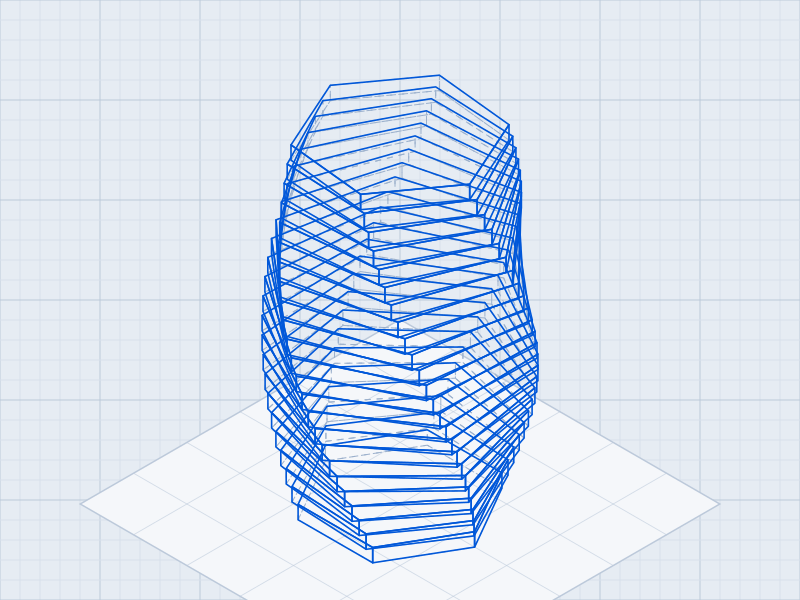
Wireframe
Every edge
Shows the mesh and the wall thickness, including the hidden edges.
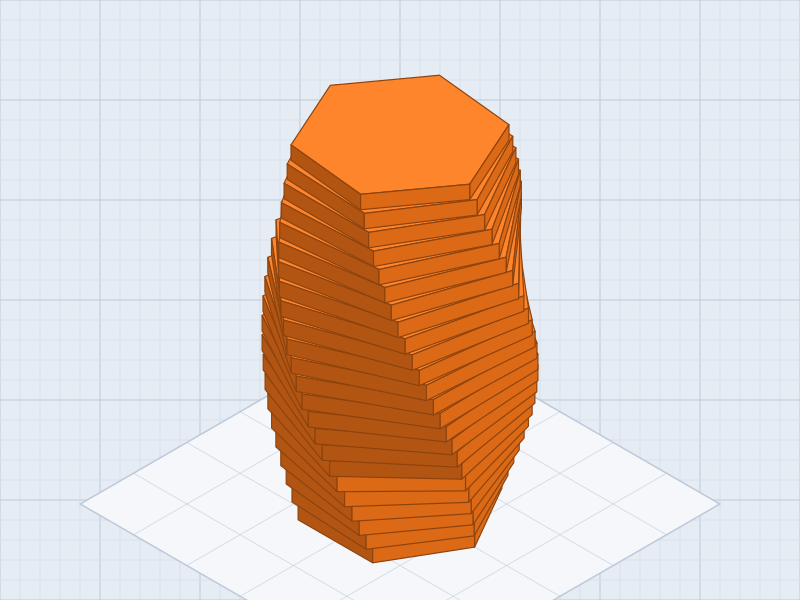
Solid
The finished look
A shaded render of the model in a sample filament colour.

Sliced
Layer by layer
A sliced preview at the tested layer height, stopped part way up.
Sample renders of the Twist Vase. Each model page has its own.
What is the difference between STL, 3MF and OBJ?
STL is the shape only and opens in every slicer. 3MF adds our orientation, plate layout and settings. OBJ is a high-detail mesh, mostly for miniatures.
Do I need supports?
Most models are designed to print without supports. When one needs them, the print settings table and the print sheet say where.
What printer do I need?
Any FDM printer with a 0.4 mm nozzle and a bed of at least 180 × 180 mm prints most models (sample). Miniatures print best on a resin printer.
Can I scale a model?
Yes. Fit-critical parts such as hinges and lids are tested at 100 %; scale those in small steps.
Can I sell what I print?
With the commercial prints licence, yes: physical prints, up to 250 a year (sample terms).
Do I need an account?
An account is created at checkout so all your downloads stay in one place (sample settings).
Do you sell printed items?
No. Every model is a file download; you print it yourself or ask a local print service.
Is there a refund policy?
Files are delivered instantly, so we look at each request by email. Broken files are always fixed or replaced (sample policy).
Download details
Limits and settings
Every model is a download, ready as soon as your payment goes through.
Delivery
Instant download link
Download attempts
5 per file
Link valid for
30 days, then re-sent on request
File updates
From My account
Shipping fee
None
Example settings (sample). Download limits live in WooCommerce → Settings → Products.